
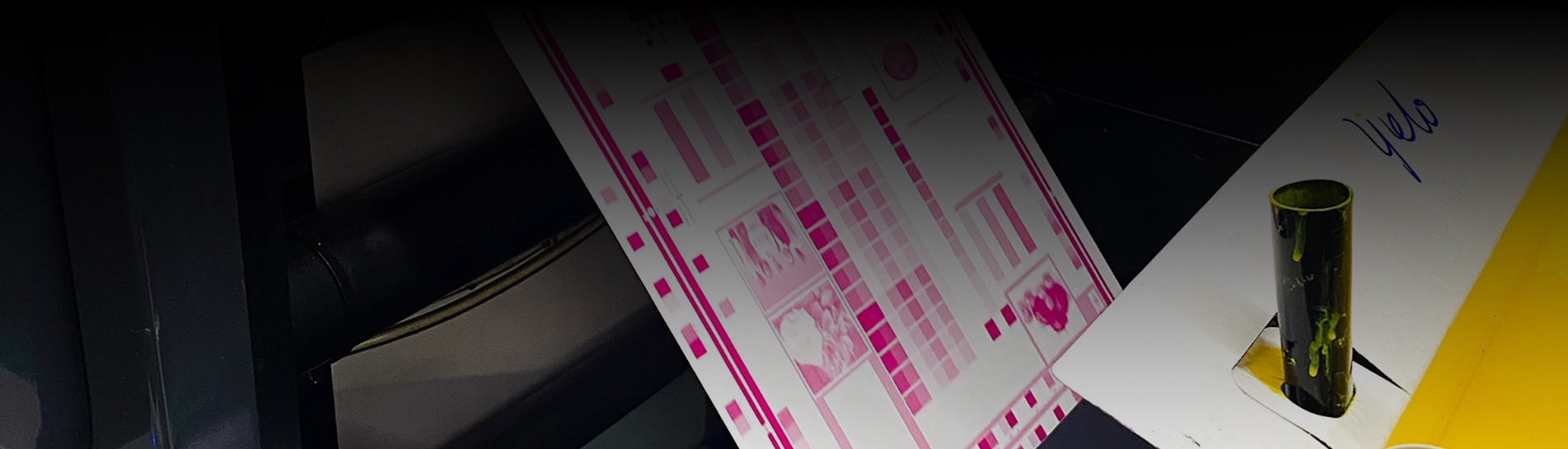
يكمن الفرق الرئيسي بين طابعات ملصقات نفث الحبر بالأشعة فوق البنفسجية ذات 7 ألوان وتلك ذات 9 ألوان في عدد ألوان الحبر المستخدمة في إنتاج كل ملصق. فالطابعات ذات قنوات الحبر الأكثر توفر نطاقًا لونيًا أوسع وجودة طباعة أعلى، ما ينتج عنه ملصقات نابضة بالحياة تناسب التطبيقات المتميزة والاحترافية.
يمكن للطابعات المتقدمة التي تحتوي على 7 ألوان أو أكثر تحقيق نطاق ألوان أوسع بكثير، مما قد يغطي 90٪ من ألوان بانتون الموضعية.
تستخدم معظم طرازات طابعات الأشعة فوق البنفسجية الصناعية تقنية معالجة الأشعة فوق البنفسجية بالطاقة، مما يضمن متانتها في مختلف البيئات. ويمكن للمستخدمين الذين يسعون إلى الحصول على نتائج طباعة متميزة وتطبيقات أوسع نطاقًا الاعتماد على الطراز المناسب. طابعة ملصقات رقمية تعمل بتقنية نفث الحبر فوق البنفسجي لتلبية احتياجاتهم. توفر طابعة الملصقات ذات خيارات الألوان الموسعة مرونةً في إنتاج تصاميم ملصقات زاهية. يتطلب سوق الملصقات جودة طباعة متسقة، لذا فإن اختيار طابعة ذات قنوات ألوان أكثر يساعد المستخدمين على تحقيق جودة ملصقات فائقة. يستفيد كل ملصق من دقة إعادة إنتاج الألوان. يتطلب إنتاج الملصقات عناية فائقة بالتفاصيل، ومجموعة الأحبار المناسبة تجعل كل ملصق مميزًا. يُقدّر مصنّعو الملصقات الطابعات التي تدعم نطاقًا واسعًا من تطبيقات الملصقات. تُدرك صناعة طباعة الملصقات أهمية تنوّع الألوان. يجذب الملصق ذو التدرجات اللونية الدقيقة مزيدًا من الانتباه. يُفضّل مصممو الملصقات الطابعات التي تُقدّم أداءً موثوقًا للملصقات. يُقدّر مستخدمو الملصقات الطابعات التي تُحسّن متانة الملصقات. يختار منتجو الملصقات المعدات بناءً على جودة الملصقات. تستمر صناعة الملصقات في التطور مع تقنيات الملصقات المتقدمة.
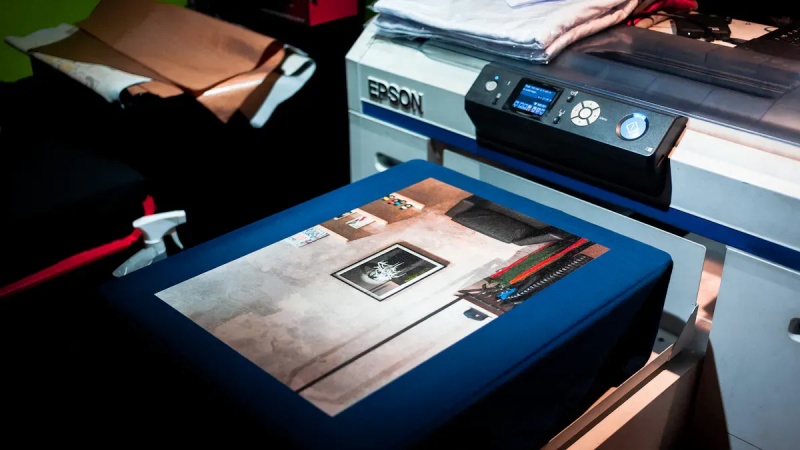
تستخدم الطابعات ذات الألوان السبعة سبعة أحبار، بما في ذلك الأبيض والبرتقالي والبنفسجي، لإنتاج ملصقات نابضة بالحياة مناسبة للعديد من التطبيقات.
تضيف الطابعات ذات 9 ألوان أحبارًا إضافية مثل السماوي الفاتح والأرجواني الفاتح، مما يسمح بتدرجات لونية أكثر سلاسة ومطابقة ألوان أكثر دقة.
يعتمد اختيار الطابعة على احتياجاتك: فالطابعات ذات 7 ألوان فعالة من حيث التكلفة للاستخدام العام، بينما تتفوق الطابعات ذات 9 ألوان في إنتاج الملصقات المتميزة.
يستخدم كلا نوعي الطابعات تقنية الأشعة فوق البنفسجية لضمان المتانة، مما يضمن مقاومة الملصقات للماء وأشعة الشمس، مما يجعلها مثالية لمختلف البيئات.
ضع في اعتبارك عوامل مثل سرعة الطباعة والدقة وتكاليف الصيانة عند اختيار طابعة الملصقات المناسبة لعملك.
تستخدم طابعة ملصقات نفث الحبر بالأشعة فوق البنفسجية ذات الألوان السبعة سبعة أحبار مختلفة لإنتاج مطبوعات ملصقات عالية الجودة. تتضمن مجموعة الأحبار النموذجية السماوي والأرجواني والأصفر والأسود والأبيض والبرتقالي والبنفسجي. يوسع هذا المزيج نطاق الألوان ليتجاوز طابعات CMYK القياسية. تتيح إضافة الحبر الأبيض إعادة إنتاج الألوان بدقة على مواد الملصقات الشفافة أو الملونة. يساعد الحبران البرتقالي والبنفسجي في الحصول على ألوان موضعية زاهية، مما يجعل كل ملصق مميزًا. تقوم الطابعة بتطبيق الحبر في تمريرة واحدة، مما يسرع الإنتاج ويضمن التجفيف الفوري. تضمن دقة الطباعة العالية، مثل 600×600 أو 600×1200 نقطة في البوصة، ملصقات ملونة كاملة حادة واحترافية. يختار العديد من المصنّعين هذا النوع من الطابعات لقدرته على تقديم مخرجات ملصقات متسقة وموثوقة.
تُحسّن طابعة الملصقات النافثة للحبر بالأشعة فوق البنفسجية ذات التسعة ألوان أداء الألوان بشكلٍ ملحوظ. فهي تستخدم تسعة أحبار منفصلة، تشمل ألوانًا مثل السماوي الفاتح والأرجواني الفاتح، بالإضافة إلى ألوان خاصة أخرى إلى جانب المجموعة القياسية. تُوسّع هذه القنوات الإضافية نطاق الألوان بشكلٍ كبير، مما يُمكّن المصممين من ابتكار ملصقات كاملة الألوان بدرجات لونية أكثر دقة وتدرجات أكثر سلاسة. كما تُتيح مجموعة الأحبار المُوسّعة مزج الألوان بدقة عالية، مما يُضفي انسيابيةً على سطح الملصق. تتفوق هذه التقنية في إنتاج ملصقات بألوان غنية وانتقالات لونية دقيقة، والنتيجة ملصقٌ جذابٌ بصريًا يُلبي متطلبات الأسواق الراقية.
يكمن الاختلاف التقني الرئيسي بين طابعات 7 ألوان وطابعات 9 ألوان في عدد الأحبار المستخدمة ونطاق الألوان الناتج. تغطي طابعة 7 ألوان بالفعل طيفًا واسعًا من الألوان، بينما تتجاوز طابعة 9 ألوان هذا النطاق. تتيح الأحبار الإضافية في نظام 9 ألوان طباعة ملصقات ملونة أكثر حيوية ودقة. تبدو التدرجات اللونية أكثر سلاسة، ومزيج الألوان أكثر طبيعية. تبرز هذه الميزة بوضوح عند طباعة الملصقات التي تتطلب مطابقة دقيقة للألوان أو تصميمات معقدة. مع تطور التكنولوجيا، تستمر الطابعات في تحسين تركيبات الأحبار ودمج التحسينات الرقمية. تؤدي هذه التوجهات إلى دقة ألوان أفضل وإمكانيات إبداعية أوسع في جميع تطبيقات طباعة الملصقات.

تُنتج طابعة ملصقات نفث الحبر بالأشعة فوق البنفسجية ذات 7 ألوان نتائج مبهرة للعديد من تطبيقات الملصقات. تتيح مجموعة الأحبار الموسعة نطاقًا أوسع من الألوان مقارنةً بطابعات CMYK القياسية. يمكن للمستخدمين توقع إعادة إنتاج ألوان زاهية ودقيقة على كل ملصق. تُساعد إضافة الأحبار البرتقالية والبنفسجية على الحصول على درجات لونية أكثر حيوية، بينما يدعم الحبر الأبيض الطباعة على المواد الشفافة أو الملونة.
ميزة | وصف |
|---|---|
مجموعة حبر | حبر UV90 بسبعة ألوان (سماوي، أرجواني، أصفر، أسود، برتقالي، بنفسجي، أبيض) |
نطاق الألوان | يحقق 92% من نطاق ألوان بانتون |
دقة الصورة | دقة 1200 نقطة في البوصة مع أحجام قطرات متعددة للحصول على تفاصيل دقيقة |
نعومة التدرج | ينتج تدرجات لونية سلسة وخطوطًا دقيقة |
تقنية رأس الطباعة | رأس طباعة متطور بكثافة حبر ثابتة |
تتيح هذه التقنية تدرجات لونية سلسة وتفاصيل دقيقة، وهو أمر ضروري لإنتاج ملصقات عالية الجودة. وتعتمد عليها العديد من الصناعات. آلة طباعة ملصقات الأشعة فوق البنفسجية التجارية لإنتاج ملصقات ملونة بالكامل تبرز على الرفوف. يغطي نظام الألوان السبعة ما يصل إلى 98% من طيف بانتون، وهو تحسن ملحوظ مقارنةً بتغطية 55% التي توفرها طابعات CMYK التقليدية. يضمن هذا النطاق اللوني الواسع أن يلبي كل ملصق متطلبات العلامة التجارية والتصميم الصارمة.
ترتقي طابعة الملصقات النافثة للحبر بالأشعة فوق البنفسجية ذات التسعة ألوان بجودة الطباعة إلى مستوى أعلى. تتيح قنوات الحبر الإضافية انتقالات لونية أكثر دقة ووضوحًا في إعادة إنتاج التصاميم المعقدة. كما تساعد أحبار اللون السماوي الفاتح والأرجواني الفاتح، إلى جانب ألوان خاصة أخرى، على إنشاء تدرجات لونية أكثر سلاسة وصور ذات مظهر طبيعي.
تضمن تقنية إدارة الألوان المتقدمة تطابق كل صورة مطبوعة مع التصميم الأصلي، حتى على المواد الصعبة. تحافظ هذه التقنية على تدرجات لونية دقيقة دون ظهور أي خطوط غير مرغوب فيها.
تُضيف عملية الطباعة ذات النطاق اللوني الموسّع ألوانًا إضافية، مما يُوسّع نطاق الألوان المتاحة. تُمكّن هذه الميزة المصممين من إنتاج تصاميم ملصقات أكثر دقةً وجاذبيةً بصريًا. يتميّز نظام الألوان التسعة بدقة تدرّج لوني فائقة، مما يجعله مثاليًا للملصقات التي تتطلب انتقالات سلسة بين الألوان. يُمكن للمستخدمين الحصول على ملصقات كاملة الألوان بتفاصيل ووضوح استثنائيين، وهو أمر بالغ الأهمية للمنتجات الفاخرة.
تضيف الطباعة ذات النطاق اللوني الموسع المزيد من الألوان، مما يوسع نطاق الألوان.
تتيح هذه العملية تصميمات أكثر دقة وجاذبية بصرية.
يتميز بدقة تدرج الألوان، مما يجعله مثالياً للتصاميم التي تتطلب انتقالات سلسة بين الألوان.
تحدد تغطية طيف الألوان لطابعة الملصقات مدى دقة إعادة إنتاج الألوان الموجودة في التصميم الأصلي أو إرشادات العلامة التجارية. تستطيع طابعة ملصقات نفث الحبر بالأشعة فوق البنفسجية ذات 7 ألوان تغطية ما يصل إلى 98% من طيف بانتون. هذه التغطية أعلى بكثير من نسبة 55% التي توفرها طابعات CMYK القياسية. تضمن هذه التغطية العالية عرض معظم الملصقات بالألوان كما أرادها المصمم.
تُوسّع طابعة الملصقات النافثة للحبر بالأشعة فوق البنفسجية ذات التسعة ألوان نطاق التغطية هذا بشكلٍ أكبر. تسمح الأحبار الإضافية بإعادة إنتاج ألوان تقع خارج نطاق نظام الألوان السبعة. هذا يعني أن الملصقات المطبوعة بطابعة ذات تسعة ألوان تُحقق مطابقة ألوان أكثر دقة وتدرجات لونية أكثر سلاسة. بالنسبة للصناعات التي تتطلب أعلى مستويات دقة الألوان، مثل مستحضرات التجميل والأغذية والمشروبات، يُوفر نظام الألوان التسعة ميزة واضحة.
تتيح طابعات الألوان السبعة والتسعة إنتاج ملصقات ملونة بالكامل تجذب الأنظار وتلبي معايير الجودة الصارمة. ويعتمد اختيار الطابعة المناسبة على المتطلبات الخاصة باستخدام الملصق، بما في ذلك الحاجة إلى دقة الألوان، وسلاسة التدرج اللوني، والتأثير البصري العام.
تؤدي طابعة الأشعة فوق البنفسجية الصناعية أدوارًا متعددة في بيئات التصنيع والتجارة. تستخدم الشركات هذه التقنية لطباعة الشعارات والزخارف بدقة عالية على منتجات مثل السيارات والأجهزة المنزلية. كما تدعم هذه الطابعة إعادة إنتاج الأعمال الفنية، مما يتيح للفنانين والمصنعين إعادة إنتاج مختلف الأشكال الفنية مع الحفاظ على رونقها الأصلي. وتستفيد مواد الإعلان الخارجية، بما في ذلك اللوحات الإعلانية والصناديق المضيئة، من تنوع وجودة طابعة الأشعة فوق البنفسجية الصناعية. ينتج هذا الجهاز تصميمات ملصقات متينة ونابضة بالحياة تتحمل الظروف القاسية. وتضمن تقنية طابعة الأشعة فوق البنفسجية الصناعية نتائج متسقة لكل ملصق، ما يلبي متطلبات الإنتاج على نطاق واسع.
تتيح طابعة الأشعة فوق البنفسجية الصناعية إمكانية التزيين وطباعة الشعارات بدقة عالية.
يدعم هذا البرنامج إعادة إنتاج الأعمال الفنية مع الحفاظ على دقة الألوان.
تعتمد مواد الإعلان الخارجية على طابعة الأشعة فوق البنفسجية الصناعية لضمان المتانة وجودة طباعة الملصقات.
توفر طابعة الأشعة فوق البنفسجية الصناعية ذات السبعة ألوان إمكانيات ألوان موسعة للعديد من تطبيقات الملصقات. يختار المصنّعون هذه الطابعة عندما يحتاجون إلى إعادة إنتاج ألوان زاهية وإنتاج فعال. تستخدم الطابعة تقنية معالجة الأشعة فوق البنفسجية LED، مما يوفر تجفيفًا سريعًا ومتانة لكل ملصق. تضمن الصيانة التلقائية لرأس الطباعة أداءً موثوقًا به خلال عمليات الإنتاج الطويلة. الكفاءة العالية تجعل طابعة الأشعة فوق البنفسجية الصناعية ذات السبعة ألوان مثالية للصناعات التي تتطلب سرعة في التنفيذ وجودة ملصقات متسقة. غالبًا ما تختار الشركات التي تنتج ملصقات الأغذية والمشروبات والمنتجات المنزلية هذه الطابعة لتوازنها بين نطاق الألوان وسرعة التشغيل.
ميزة | وصف |
|---|---|
إمكانية الألوان | يوسع نظام CMYK باستخدام الأحبار البيضاء والبرتقالية والبنفسجية للحصول على إعادة إنتاج ألوان زاهية. |
تقنية المعالجة | يستخدم تقنية المعالجة بالأشعة فوق البنفسجية LED لضمان المتانة وسرعة الجفاف. |
صيانة | تضمن الصيانة التلقائية لرأس الطباعة أداءً موثوقاً. |
كفاءة | مصمم لتحقيق كفاءة عالية في التطبيقات الصناعية. |
تُناسب طابعة الأشعة فوق البنفسجية الصناعية ذات التسعة ألوان التطبيقات التي تتطلب أعلى مستويات دقة الألوان وسلاسة التدرج اللوني. يختار المصممون والمصنّعون هذه الطابعة لإنتاج ملصقات عالية الجودة، حيث تُعدّ التدرجات اللونية الدقيقة والتفاصيل المعقدة عناصر بالغة الأهمية. تتيح مجموعة الأحبار الموسّعة الحصول على درجات لونية أكثر دقة، مما يجعل كل ملصق لافتًا للنظر. تعتمد قطاعات مثل مستحضرات التجميل والإلكترونيات والسلع الفاخرة على طابعة الأشعة فوق البنفسجية الصناعية ذات التسعة ألوان لتلبية متطلبات العلامات التجارية الصارمة. تتفوق هذه الطابعة في إنتاج ملصقات ذات وضوح وعمق استثنائيين، مما يدعم التصاميم الإبداعية والأعمال الفنية المعقدة. غالبًا ما تستثمر الشركات التي تسعى إلى تمييز منتجاتها في الأسواق التنافسية في طابعة الأشعة فوق البنفسجية الصناعية ذات التسعة ألوان للحصول على جودة ملصقات فائقة.
نصيحة: اختر طابعة UV صناعية ذات 9 ألوان للملصقات التي تتطلب مطابقة دقيقة للألوان وتدرجات لونية سلسة. تدعم هذه التقنية التصاميم الإبداعية وتعزز جاذبية المنتج.
شراء آلة طباعة نفث الحبر بالأشعة فوق البنفسجية الصناعية يتطلب الأمر استثمارًا أوليًا كبيرًا. عادةً ما تكون تكلفة الطابعة ذات 7 ألوان أقل من تكلفة الطابعة ذات 9 ألوان. تزيد قنوات الحبر الإضافية في الطابعة ذات 9 ألوان من سعرها نظرًا للتكنولوجيا المتقدمة والتصميم الهندسي الأكثر تعقيدًا. يجب على الشركات مراعاة التكلفة الإجمالية للملكية، والتي لا تشمل سعر الشراء فحسب، بل تشمل أيضًا النفقات الجارية. يتحمل المشغلون تكاليف الحبر والصيانة وقطع الغيار. كما يؤثر استهلاك الطاقة على تكاليف التشغيل. تستهلك طابعة الملصقات ذات 9 ألوان كمية أكبر من الحبر وقد تتطلب صيانة أكثر تكرارًا. يعكس السعر الأعلى قدرة الطابعة على إنتاج تصميمات ملصقات مميزة بخيارات ألوان موسعة.
ملاحظة: ينبغي على الشركات تقييم حجم إنتاج الملصقات ومتطلبات الجودة قبل اختيار الطابعة. توفر الطابعة ذات 7 ألوان توازناً بين التكلفة والأداء، بينما تناسب الطابعة ذات 9 ألوان الشركات التي تعطي الأولوية لجودة الملصقات.
يختلف استهلاك الحبر بين طابعات الملصقات ذات 7 ألوان وتلك ذات 9 ألوان. تستهلك الطابعة ذات 9 ألوان كمية حبر أكبر لاحتوائها على قنوات إضافية للألوان الخاصة. يجب على المشغلين مراقبة مستويات الحبر بدقة لتجنب أي انقطاعات أثناء إنتاج الملصقات. تضمن الصيانة الدورية إنتاج ملصقات متسقة وتمنع انسداد رأس الطباعة. تساعد إجراءات التنظيف وأنظمة الصيانة التلقائية على إطالة عمر الطابعة. يقوم الفنيون باستبدال الأجزاء التالفة وفحص أي مشاكل قد تؤثر على جودة الملصقات. تقلل الصيانة الدورية من وقت التوقف عن العمل وتحافظ على معايير عالية لكل ملصق يتم إنتاجه.
يزداد استهلاك الحبر مع زيادة عدد قنوات الألوان.
تساهم إجراءات الصيانة في ضمان تشغيل طابعة الملصقات بسلاسة.
يقوم الفنيون بفحص وتنظيف رؤوس الطباعة للحفاظ على جودة الملصقات.
🛠️ نصيحة: قم بجدولة الصيانة الدورية ومراقبة مستويات الحبر لزيادة أداء طابعة الملصقات إلى أقصى حد وتقليل التكاليف غير المتوقعة.
يعتمد اختيار طابعة الملصقات المناسبة على عدة عوامل مهمة. تساعد هذه العوامل الشركات والأفراد في إيجاد طابعة تلبي متطلبات الطباعة والميزانية واحتياجات التطبيق. يضمن فهم هذه العناصر أن تقدم طابعة الملصقات المختارة أفضل النتائج لكل مشروع ملصقات.
سرعة الطباعة
يتطلب إنتاج الملصقات بكميات كبيرة طباعة سريعة. تساعد طابعة الملصقات ذات سرعة الطباعة العالية على الوفاء بالمواعيد النهائية الضيقة وتحسين الإنتاجية الإجمالية.
دقة
تؤثر دقة الطباعة على وضوح وتفاصيل كل ملصق. تنتج الطابعات ذات الدقة العالية صورًا أكثر وضوحًا ونصوصًا أدق. مع ذلك، غالبًا ما تزيد الدقة العالية من تكلفة طابعة الملصقات.
خيارات الألوان
يؤثر عدد ألوان الحبر على مرونة التصميم. فطابعة الملصقات التي تحتوي على ألوان أكثر تستطيع إنتاج نطاق ألوان أوسع وتدرجات لونية أكثر سلاسة. وهذا عامل بالغ الأهمية للعلامات التجارية التي تتطلب مطابقة دقيقة للألوان.
عرض الطباعة
يحدد عرض الطباعة الحد الأقصى لحجم الملصقات المنتجة. يوفر عرض الطباعة الأوسع مرونة أكبر لأحجام وأشكال الملصقات المختلفة.
توافق الركيزة
تدعم طابعات الملصقات المختلفة مواد متنوعة مثل الورق والفيلم والمواد الاصطناعية. ويضمن اختيار طابعة ملصقات متوافقة مع مادة الملصق المراد طباعته متانته وجودة طباعته.
الاستثمار الأولي
تختلف التكلفة الأولية لطابعة الملصقات اختلافًا كبيرًا. يجب على الشركات موازنة ميزانيتها مع الميزات التي تحتاجها. قد يوفر الاستثمار الأولي الأعلى جودة طباعة أفضل وتوفيرًا على المدى الطويل.
تكاليف المواد الاستهلاكية والصيانة
تُضاف تكاليف الحبر والصيانة إلى التكلفة الإجمالية للملكية. عادةً ما تستهلك الطابعات ذات قنوات الألوان المتعددة كمية أكبر من الحبر. تضمن الصيانة الدورية استمرار عمل طابعة الملصقات بسلاسة وتمنع توقفها المكلف.
العائد على الاستثمار (ROI)
يساعد تقييم العائد على الاستثمار في تحديد ما إذا كانت فوائد طابعة الملصقات تبرر تكلفتها. يمكن للملصقات عالية الجودة أن تزيد من جاذبية المنتج ومبيعاته، مما يحسن العائد على الاستثمار بمرور الوقت.
جودة الطباعة ومتانتها
يجب أن تبدو الملصقات جيدة وأن تدوم طويلاً. إن طابعة الملصقات التي تنتج ملصقات زاهية الألوان ومتينة تدعم سمعة العلامة التجارية ورضا العملاء.
سهولة الاستخدام
تُقلل الميزات سهلة الاستخدام من وقت التدريب وتُحسّن كفاءة سير العمل. كما تُسهّل طابعة الملصقات المزودة بأدوات تحكم وبرامج بديهية العمليات اليومية.
الموثوقية والدعم
تقلل طابعة الملصقات الموثوقة من الأعطال. ويضمن دعم العملاء الجيد حل المشكلات بسرعة، مما يحافظ على إنتاج الملصقات وفقًا للجدول الزمني.
يساعد أخذ هذه العوامل في الاعتبار المستخدمين على اختيار طابعة ملصقات تتناسب مع حجم إنتاجهم، وتوقعاتهم للجودة، وميزانيتهم. وسواءً أكان الاختيار بين طراز بسبعة ألوان أو تسعة ألوان، فإن فهم هذه النقاط الحاسمة يؤدي إلى نتائج أفضل.
ميزة | طابعة ملصقات بسبعة ألوان | طابعة ملصقات بتسعة ألوان |
|---|---|---|
قنوات الألوان | 7 (سماوي، أرجواني، أصفر، أسود، برتقالي، بنفسجي، أبيض) | 9 (يشمل اللون السماوي الفاتح، واللون الأرجواني الفاتح، بالإضافة إلى ألوان أخرى) |
نطاق الألوان | يغطي ما يصل إلى 92-98% من طيف ألوان بانتون | يتجاوز 98%، مما يوفر نطاقًا أوسع من الألوان |
جودة الطباعة | صور واضحة بألوان زاهية | سلاسة تدرج فائقة ودقة ألوان عالية |
سرعة الطباعة | أسرع بفضل عدد أقل من التمريرات | أبطأ قليلاً بسبب وجود قنوات حبر أكثر |
استهلاك الحبر | استخدام معتدل للحبر | زيادة استهلاك الحبر بسبب الألوان الإضافية |
التكلفة الأولية | استثمار أقل | زيادة الاستثمار تعكس التكنولوجيا المتقدمة |
صيانة | صيانة أسهل مع عدد أقل من قنوات الحبر | يتطلب صيانة أكثر تكرارًا |
ملاءمة التطبيق | مثالي للملصقات التجارية العامة، والأغذية، والمشروبات، والمنتجات المنزلية | الأفضل للعلامات التجارية الفاخرة، ومستحضرات التجميل، والإلكترونيات، والسلع الفاخرة |
توافق الركيزة | يدعم مواد الملصقات الشائعة | يدعم نطاقًا واسعًا بما في ذلك الركائز المتخصصة |
سهولة الاستخدام | سهل الاستخدام مع صيانة آلية | قد تتطلب الميزات المتقدمة مزيدًا من التدريب |
تُبرز هذه المقارنة الفروقات الرئيسية بين طابعات الملصقات ذات 7 ألوان وطابعات الملصقات ذات 9 ألوان. ينبغي على المستخدمين الموازنة بين متطلبات جودة الطباعة والميزانية وسرعة الإنتاج. تُناسب طابعة الملصقات ذات 7 ألوان الشركات التي تحتاج إلى ملصقات زاهية الألوان مع كفاءة عالية في الإنتاج. أما طابعة الملصقات ذات 9 ألوان فتُناسب الشركات التي تتطلب أعلى دقة للألوان وتدرجات لونية سلسة للمنتجات الفاخرة.
يتطلب اختيار طابعة الملصقات المناسبة موازنة هذه العوامل. يساعد فهم هذه المفاضلات المستخدمين على الاستثمار بحكمة وإنتاج ملصقات تلبي معايير علامتهم التجارية.
تكمن الاختلافات الرئيسية بين طابعات ملصقات نفث الحبر بالأشعة فوق البنفسجية ذات 7 ألوان وتلك ذات 9 ألوان في عدد الأحبار وجودة الطباعة ومدى ملاءمتها للتطبيقات المختلفة. تنتج الطابعة ذات 9 ألوان ملصقات بتدرجات لونية أكثر سلاسة ونطاق ألوان أوسع، مما يجعلها مثالية للتصاميم المعقدة والبيئات الصعبة. تتميز الملصقات المطبوعة من الطابعات المتطورة بلمعان عالٍ ومتانة ومقاومة للماء وأشعة الشمس. ينبغي على المستخدمين مراجعة احتياجاتهم، مع مراعاة عوامل مثل سرعة الطباعة والدقة والتكلفة، لاختيار أفضل طابعة ملصقات لأعمالهم.
توفر طابعة ملصقات نفث الحبر بالأشعة فوق البنفسجية ذات 9 ألوان نطاقًا لونيًا أوسع، مما يتيح للمصممين الحصول على تدرجات لونية أكثر سلاسة ودقة أعلى في إعادة إنتاج الألوان. تناسب هذه الطابعة الصناعات التي تتطلب ملصقات مخصصة عالية الجودة بتفاصيل دقيقة.
تدعم طابعة بسبعة ألوان إنتاج الملصقات حسب الطلب، مما يُمكّن المصنّعين من إنتاج ملصقات زاهية الألوان بسرعة. توفر هذه الطابعة نتائج متسقة للشركات التي تحتاج إلى سرعة في التنفيذ وأداء موثوق.
تستخدم طابعة الملصقات الصناعية أحبارًا معالجة بالأشعة فوق البنفسجية. تقاوم هذه الأحبار الماء وأشعة الشمس والتآكل. تدوم الملصقات المطبوعة بهذه التقنية لفترة أطول وتحافظ على مظهرها في البيئات القاسية.
تُنتج كلتا الطابعتين ملصقات مخصصة. يوفر الطراز ذو التسعة ألوان خيارات ألوان أكثر وتفاصيل أدق. أما الطراز ذو السبعة ألوان فيوفر إنتاجًا فعالًا وألوانًا زاهية لمعظم التطبيقات.
يجب على المشغلين تنظيف رؤوس الطباعة بانتظام. تساعد أنظمة الصيانة الآلية على منع الانسداد. يقوم الفنيون بفحص مستويات الحبر واستبدال الأجزاء البالية لضمان جودة طباعة متسقة.
 Tel : +8613826466670
 E-mail : haotianservice@hotmail.com
 Address : No. 19, Guangchen Road, Zhongluotan, Baiyun District, Guangzhou


Copyright @ 2026 GUANGZHOU YUTIAN MACHINERY MANUFACTURING LTD. All Rights Reserved. Network Supported
ترك رسالة
Scan to Wechat :

Scan to WhatsApp :

 ar
ar